New · Universal memory

Give your AI a memory that follows you

Connect ConvoFlow to Claude, Cursor, or ChatGPT — and everything you've saved becomes something your AI can actually use. Stop re-explaining yourself.

You already save your best conversations with ConvoFlow. Until now, they lived in one place. Now your AI can read them directly — in whatever app you're working in.

Ask a fresh chat "what was I working on?" and it just knows — because it can see your saved memories from every AI you use, all in one place.

Why it's useful

Three things change the moment you connect.

🧠

No more re-explaining

Your AI already knows your projects, decisions, and context. Skip the "here's my background…" every time.

🔀

Works across every AI

A chat you had in Gemini is available when you're in Claude or Cursor. Your memory isn't stuck in one app.

Never lose a thread

Pick up unfinished work and open questions from any past conversation, right where you left off.

Connect in two minutes

Copy this link — you'll paste it into your AI app once. No password or key to set up; you just sign in.

https://mcp.convoflow.work/mcp
C

Claude (Desktop & phone)

Settings → Connectors → Add custom connector → paste the link → sign in and approve. Add it on claude.ai and it works in the Claude mobile app too.

Cursor

Settings → MCP → Add a new server → paste the link → sign in when it opens your browser.

G

ChatGPT & other AI apps

Anywhere that supports custom connectors, add the same link. Sign in once and you're set.

See exactly how

Real screenshots of adding the link — same link, both apps.
Claude Desktop & web
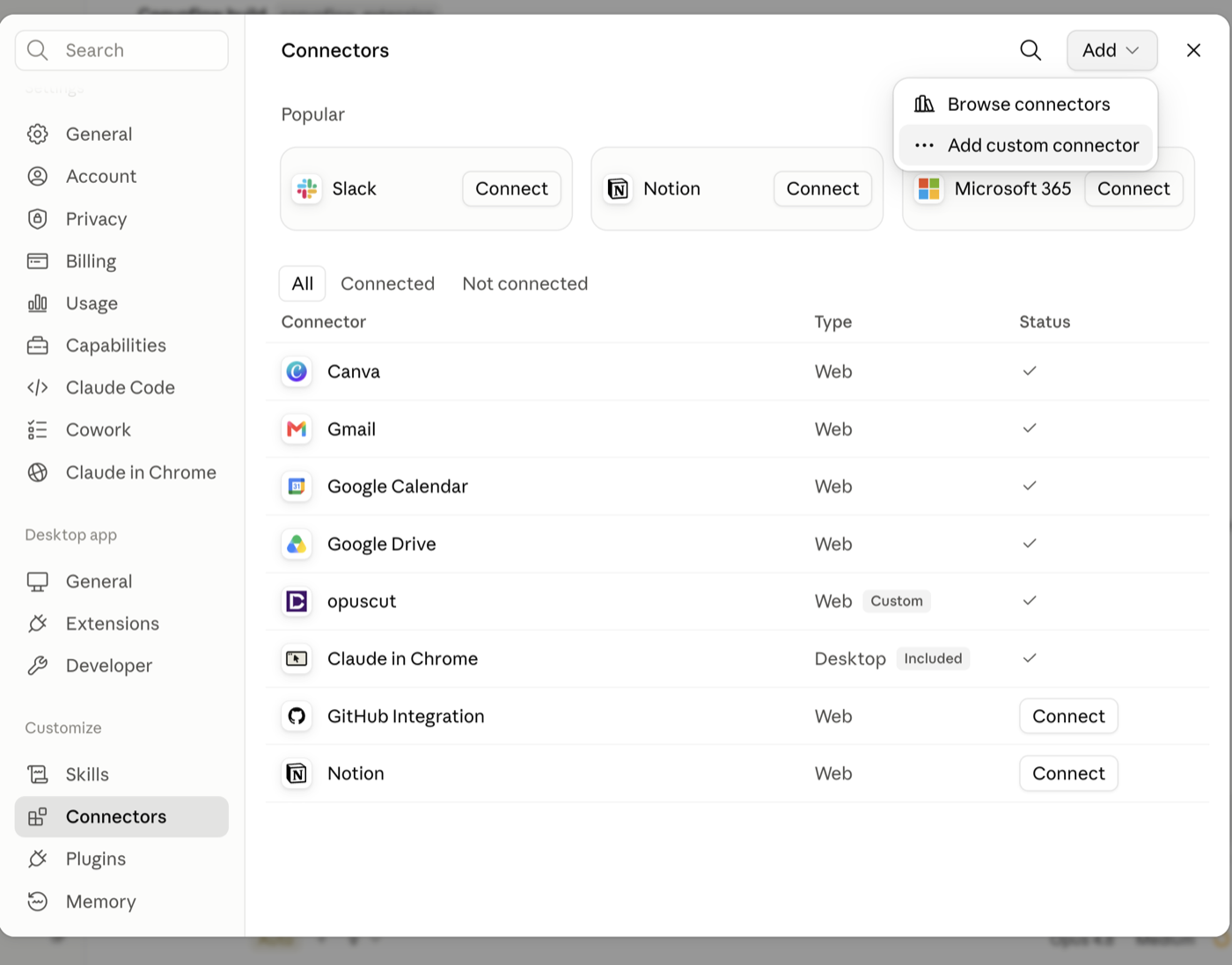
1Settings → ConnectorsAddAdd custom connector.
Claude Connectors settings with the Add custom connector menu open
2Name it ConvoFlow, paste https://mcp.convoflow.work/mcp as the URL, then click Add.
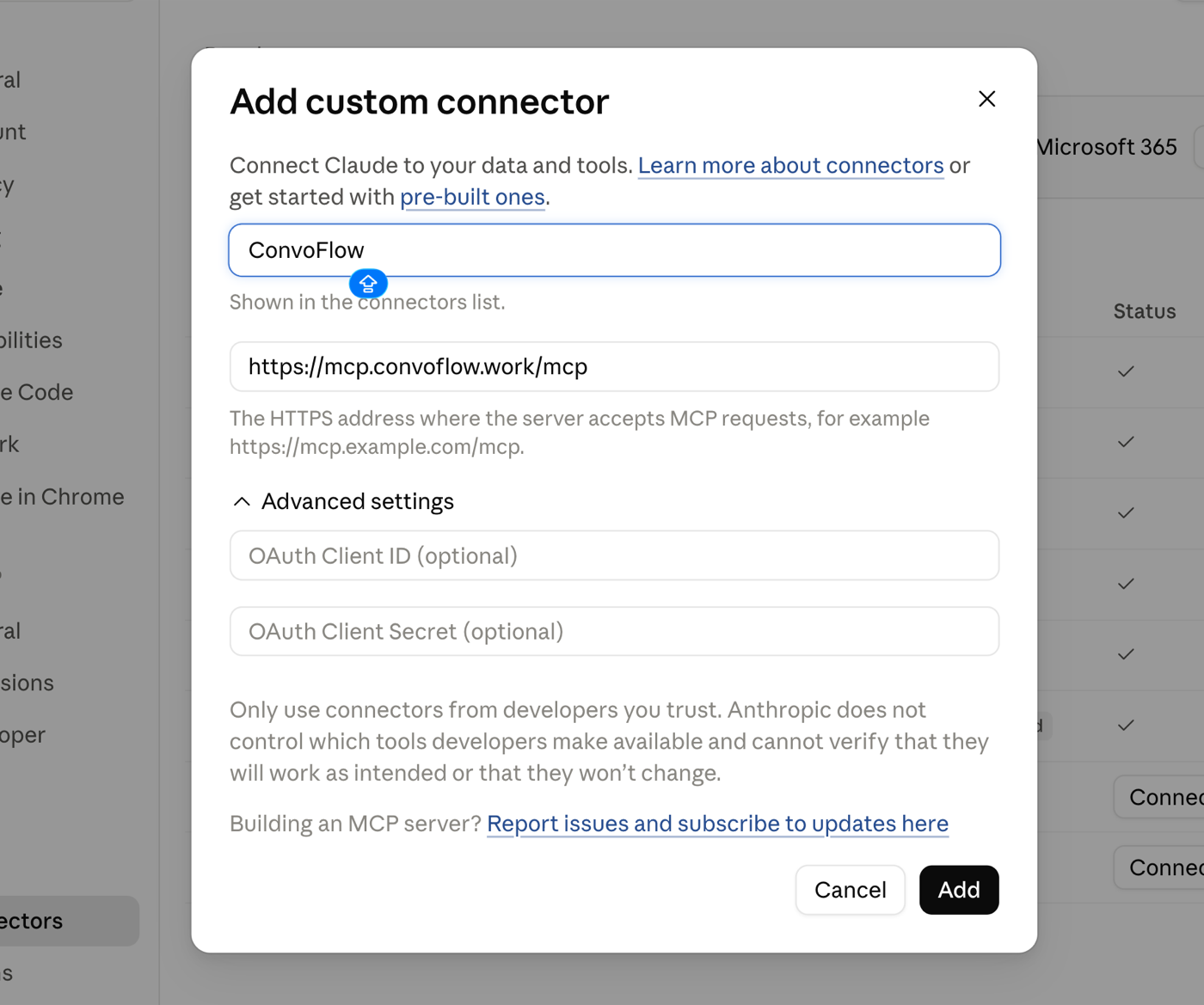
Add custom connector dialog with the ConvoFlow name and URL filled in
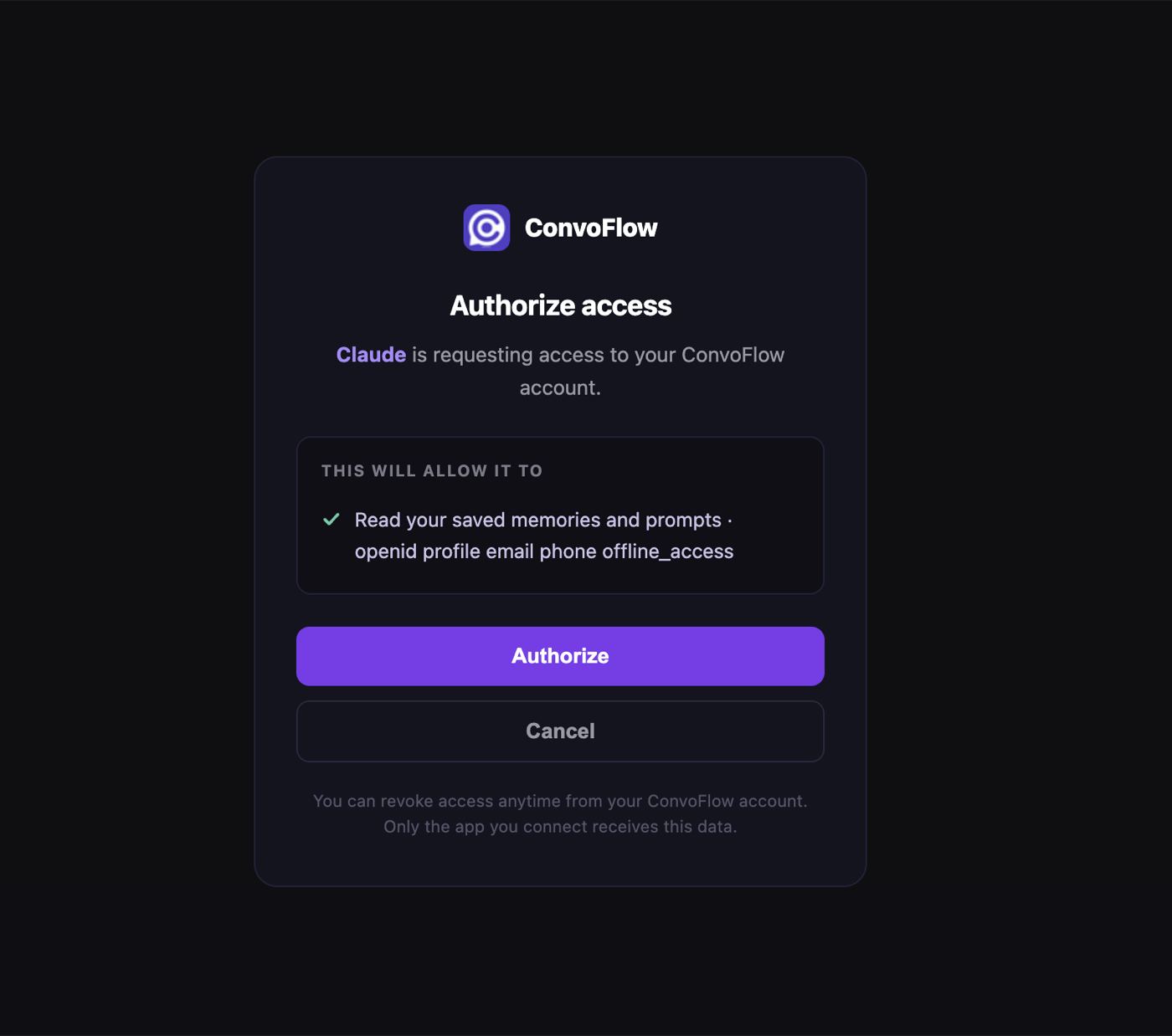
3Sign in and click Authorize — that's it. Your memories are now available in Claude.
ConvoFlow authorize-access screen granting Claude read access to your memories
ChatGPT
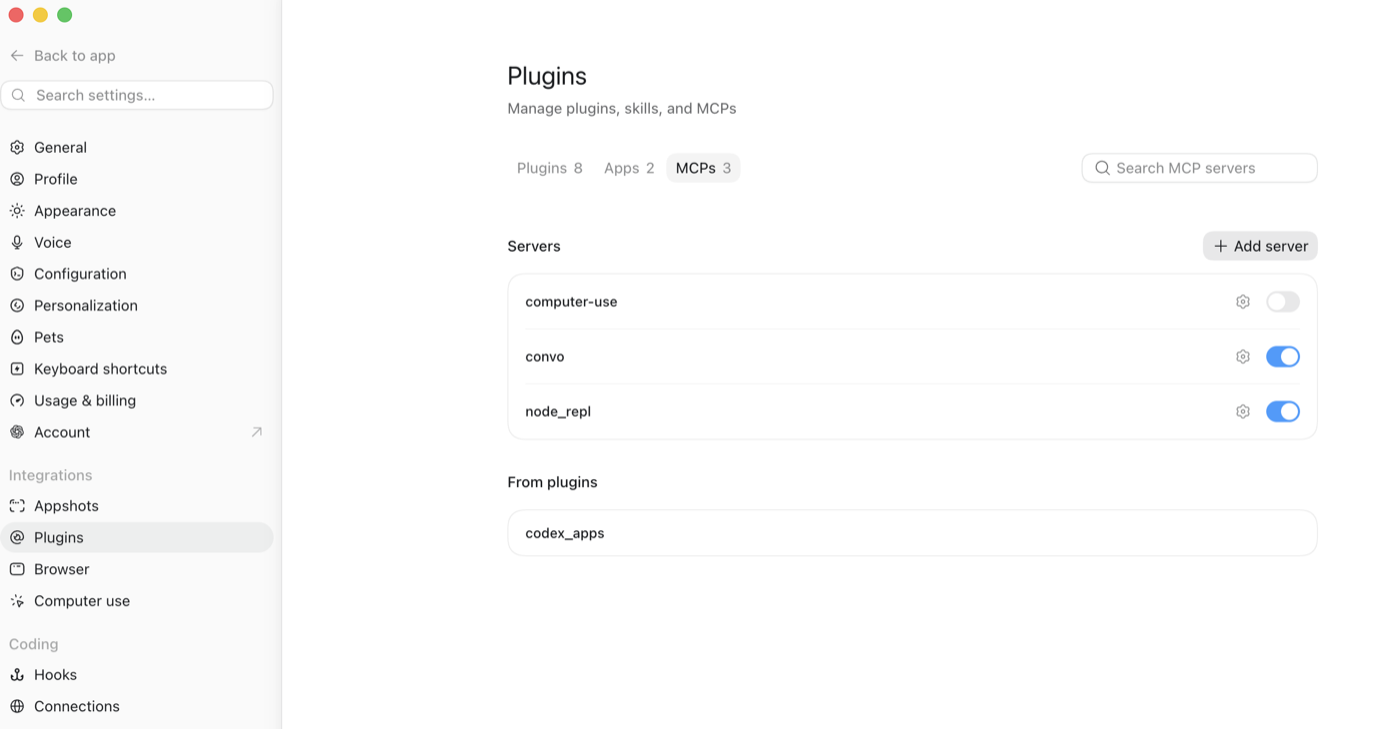
1Settings → PluginsMCPs tab → Add server.
ChatGPT Plugins settings on the MCPs tab with the Add server button
2Name it ConvoFlow, choose Streamable HTTP, paste https://mcp.convoflow.work/mcp, then sign in & authorize (same screen as Claude's step 3).
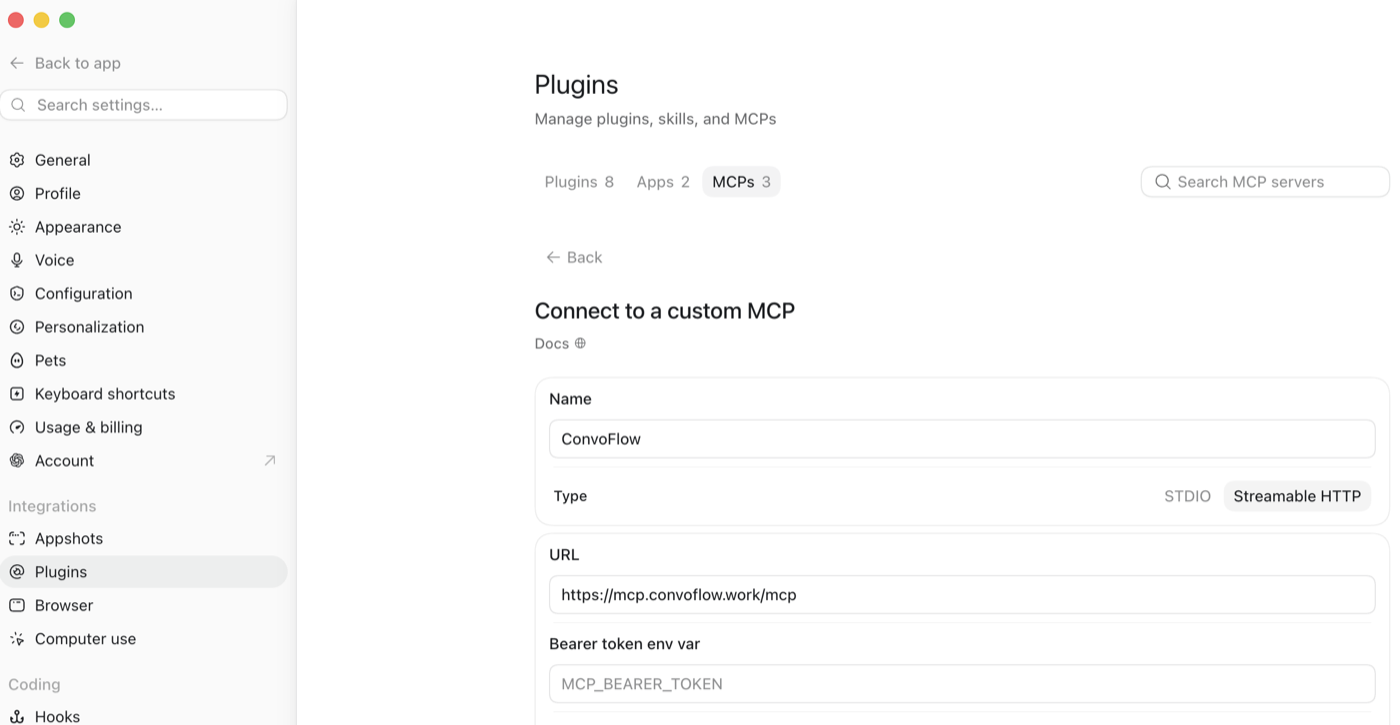
ChatGPT Connect to a custom MCP form with ConvoFlow and the URL filled in

Then just ask

Once it's connected, talk to your AI normally. Here's what it can now do:

What have I been working on this week?
Your AI reads your recent saved chats and gives you a quick rundown — across every platform.
Find my notes on the Indonesia launch and pick up where I left off.
It pulls that saved context and continues the work — no copy-pasting, no re-explaining.
What are my open to-dos across all my chats?
It surfaces the loose ends and unanswered questions from your past conversations.
Continue my product-launch plan and draft the next step.
It loads the saved thread as context, then writes the next part for you.
Your data stays yours. Only you can see your memories — the connection is signed in to your own account. You choose which app to connect, it's read-only, and you can disconnect anytime.
Get the ConvoFlow extension →